How Neckly works
How an AirPods Posture Reminder Works—and Its Limits
Learn how headphone motion can support private head-posture awareness, why calibration matters, and what an AirPods posture reminder cannot measure.
By Neckly Editorial Team · Evidence reviewed 2026-08-29
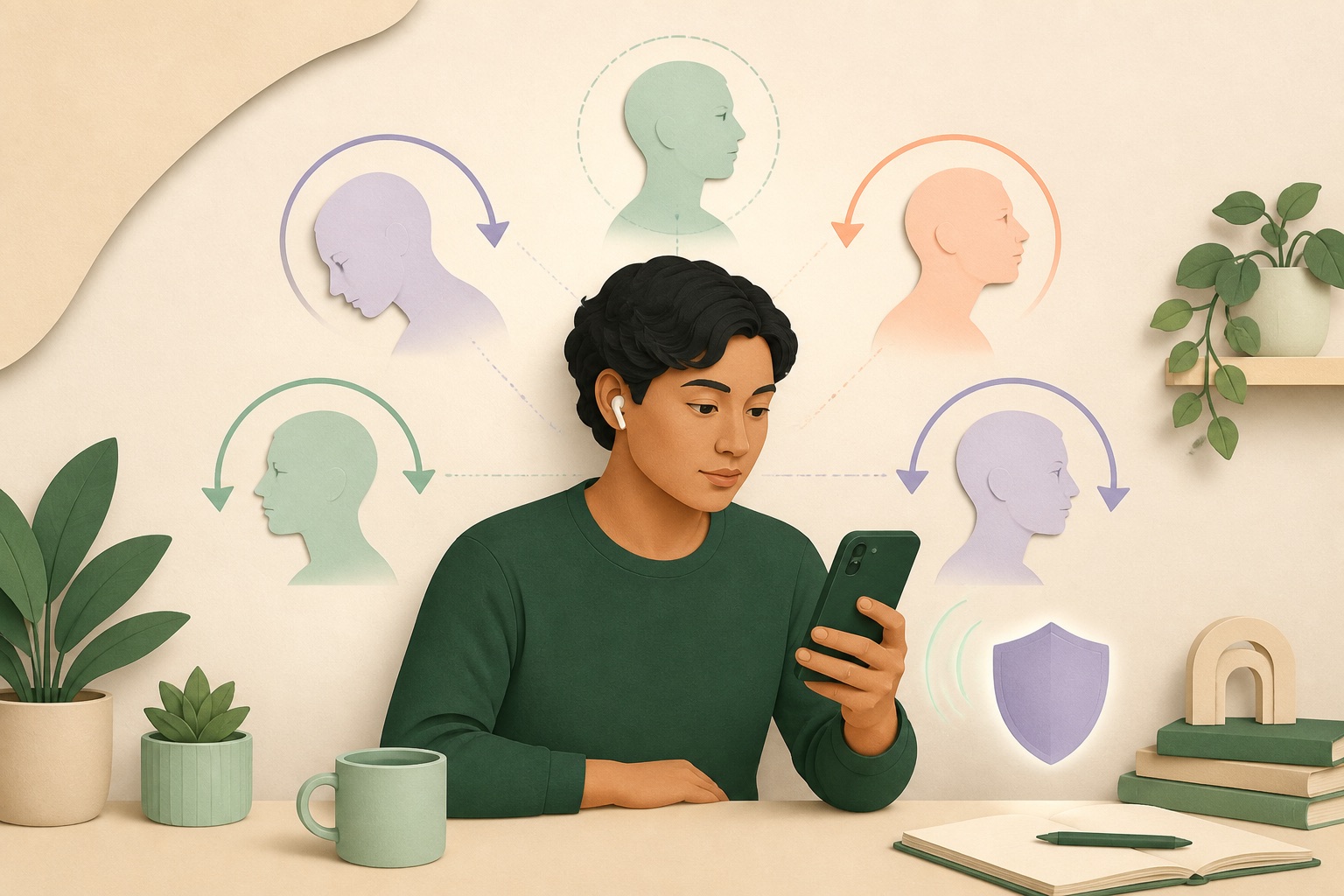
Some AirPods and Beats models already contain motion sensors for features such as spatial audio and dynamic head tracking. With the right software, that motion stream can support a different kind of experience: a private reminder when your head remains away from a position you chose at the start of a work session.
That sounds like posture tracking. The boundary matters. Headphone motion can describe how the headphones—and therefore the head—are oriented and moving. It cannot see the shoulders, chair, spine or desk. It cannot decide whether a pose is healthy. It cannot diagnose why a neck hurts.
An AirPods posture reminder is most honest when it stays inside that boundary: personal calibration, sustained head-orientation change, reliable active-session data and a gentle cue.
Key takeaways
- Compatible headphone motion is useful because the sensor moves with the head and does not require a camera.
- Calibration creates a personal session reference; it is not a universal “perfect posture” model.
- A good system ignores brief movement and waits for sustained forward, backward, left or right tilt.
- Head orientation is not whole-body posture and does not isolate motion at individual cervical joints.
- Neckly processes the headphone-motion stream on the iPhone during an active session; raw motion is not saved.
What motion data can compatible headphones provide?
Apple exposes headphone motion through Core Motion’s CMHeadphoneMotionManager. With a compatible connected device, an app can receive CMDeviceMotion updates that include attitude and motion-related values (Apple Developer Documentation). These are the kinds of signals used to keep audio anchored or follow the head during spatial-audio experiences.
An inertial measurement unit typically combines accelerometer and gyroscope information, sometimes with additional reference handling and sensor fusion. The accelerometer senses linear acceleration and gravity-related components. The gyroscope senses rotational rate. Sensor-fusion algorithms estimate orientation more usefully than either signal alone.
For posture awareness, the app does not need to build a medical model of the spine. It can ask a narrower question: compared with the orientation recorded at calibration, has the head remained rotated away in a monitored direction for long enough to be worth noticing?
Wearable inertial systems are widely studied for human-motion and spine assessment because they can operate outside optical motion-capture laboratories. A systematic review by Papi and colleagues found growing use of wearable technology for spine movement assessment, while highlighting variation in sensor systems, validation and protocols (Papi et al., 2017). A consumer headphone is not interchangeable with a validated clinical multi-sensor system, but the review explains the underlying opportunity and the need for modest claims.
Why use headphones instead of a camera?
The sensor is already attached to the moving object of interest: the head. That gives headphone motion several practical advantages.
No line of sight
A camera must see the user and interpret landmarks. Lighting, occlusion, camera angle and leaving the frame all matter. Headphones continue moving with the head while you look away from the phone.
More private context
Motion values can be processed on the device without capturing an image of the room, face or coworkers. Privacy still depends on product implementation, but the sensing modality does not require video.
Familiar hardware
For people who already wear compatible headphones during work, there is no extra posture sensor to attach, charge or align.
Continuous orientation updates during an active session
The stream can support duration-based logic rather than occasional snapshots. The app can distinguish a brief glance from a sustained departure if the signal remains reliable.
The same design also has limitations: the user must wear compatible connected headphones, grant motion access and keep an active iPhone session running. This is not invisible all-day background monitoring.
Why is calibration necessary?
People do not share one neutral head angle. Chairs, desk heights, anatomy, vision, tasks and comfort differ. Even the way headphones sit can vary.
At the beginning of a session, calibration records the current orientation as a reference. The best calibration instruction is not “achieve perfect posture.” It is “choose a natural, supported position you would be comfortable returning toward.”
The reference is relative and temporary. Recalibration makes sense when you move from sitting to standing, change desks, shift the headphones, or begin a task with a different visual target. A baseline from the morning should not become a rigid law for the afternoon.
Calibration also makes threshold logic understandable. A forward departure means forward relative to your session reference, not forward relative to an anatomical ideal or the room in general.
What does “forward tilt” actually mean?
In a headphone system, forward tilt describes a change in the orientation of the sensor on the head. It does not directly measure the angle between every cervical vertebra, nor does it see the relationship between the ear and shoulder in a photograph.
This distinction creates several scenarios:
- If the head flexes while the torso stays relatively still, headphone orientation changes.
- If the whole torso and head lean forward together, headphone orientation may also change even though the head-on-trunk relationship changes less.
- If the chair reclines and the head stays aligned with the torso, orientation relative to the broader reference may change.
- If the headphones shift on the ears, the sensor relationship to the head may change.
The signal is therefore head orientation relative to calibration, not an isolated cervical-spine measurement. A responsible app presents it that way.
This is also why Neckly does not claim to detect rounded shoulders, lumbar posture or whole-body alignment. One head-mounted sensor cannot observe what it does not measure.
Why monitor four directions?
Most tech-neck discussion focuses on looking down, but real work drifts in several directions. A second monitor can hold the head to one side. A phone call or reading position can create lateral tilt. Reclining below a high screen can sustain backward orientation.
Neckly organizes awareness around four tilt directions:
| Direction | Everyday example | What the cue means |
|---|---|---|
| Forward | Reading a low phone or laptop | The head has stayed forward of the calibrated range |
| Backward | Looking up at a high screen | The head has stayed backward of the calibrated range |
| Left | Leaning toward one side of a task | Left tilt has remained sustained |
| Right | Resting or leaning to the other side | Right tilt has remained sustained |
The categories keep the feedback understandable. They are not diagnoses and do not imply that brief movement in those directions is harmful.
Yaw—or turning left and right—is different from lateral tilt. Many tasks involve purposeful turning, especially with multiple monitors. Neckly’s current production awareness model is focused on forward, backward, left and right tilt relative to session calibration rather than claiming a full clinical analysis of every three-dimensional movement.
Why must the system wait before reminding you?
Movement is normal. An app that reacts whenever you look down would be unusable and conceptually wrong.
Duration changes the meaning of an angle. A two-second glance at a keyboard is part of the task. A long absorbed reading position may be worth interrupting. The detector therefore needs a persistence rule: the departure must remain outside a calibrated range long enough to qualify.
It also needs hysteresis and cooldown behavior. Without them, small motion near a boundary can repeatedly start and stop alerts. After a cue, the user needs time to respond without being nagged.
The exact threshold is a product-design choice, not a medical safe limit. It balances sensitivity and interruption. People should be able to adjust their usage pattern through calibration and session choices, while the product remains clear that no threshold guarantees prevention of pain.
For the behavior science behind cue timing, see Do posture reminders work?.
What makes motion time “reliable”?
A Bluetooth device name is not proof of a usable motion stream. The headphones may be connected for audio while motion permission is missing, the model may not support headphone motion, or updates may be interrupted.
A reliable session needs:
- A compatible connected headphone device.
- Motion permission on the iPhone.
- Fresh updates arriving at an expected cadence.
- A completed calibration.
- An active session in which interruptions are handled explicitly.
If updates stop, the gap should not be counted as meaningful posture time. Otherwise a dashboard could report confidence about a period the app did not actually observe.
Neckly checks the real motion stream rather than inferring support from the Bluetooth name alone. Session trends distinguish reliable time from periods when the signal is not suitable. This is less glamorous than saying “works with every AirPods,” but more trustworthy.
Apple’s own support guidance shows that spatial audio and head-tracking availability varies by headphones, content and device context (Apple Support). The in-app compatibility check is the final practical answer for the pair you are wearing.
What can the app save without saving raw motion?
Raw motion is a high-frequency stream. A wellness habit does not need to retain every sample to be useful.
Neckly processes headphone motion on the iPhone during the session. The raw motion stream is not saved. The app can instead retain summary information such as reliable session duration, time within a calibrated range, reminder counts or direction-level events, according to its privacy policy.
This data-minimization approach has two benefits. It reduces the sensitivity and volume of stored data, and it keeps the product focused on patterns a person can act on rather than a permanent archive of movement.
On-device processing does not make every privacy question disappear. Users should still know what summaries are stored, whether they sync, how support data is handled and how to delete information. Read the Neckly Privacy Policy for the product’s current details.
Can headphone motion tell whether posture is “good”?
No. “Good posture” is not one sensor angle.
A head can stay close to calibration while the shoulders round, the chair provides no support or the person is holding their breath. The head can leave calibration during a healthy movement, an intentional task or a comfortable change of position. A baseline itself can be poorly chosen.
The app can provide descriptive feedback:
- Direction of sustained departure.
- Duration relative to threshold.
- Whether data was reliable.
- How patterns changed across sessions.
It cannot provide a medical interpretation:
- Whether tissue is damaged.
- Whether a symptom comes from posture.
- Whether the cervical spine is aligned.
- Whether one person’s range should match another’s.
- Whether a headache is cervicogenic, migraine or something else.
That is why the product language centers “head-posture awareness” and “sustained tilt,” not correction, cure or protection.
How should you respond to a cue?
The smallest useful response is usually enough.
- Notice without bracing.
- Return gently toward the calibrated position if that feels appropriate.
- Ask why the drift happened.
- Move the task or body if the setup is the cause.
- Continue, pause or end the session.
If the phone is low, raise it and support the elbows. If the screen is to one side, reorganize the active window. If the body wants movement, stand or walk. If you are intentionally reading downward, ignore the cue or pause monitoring.
The cue should never require a hard chin tuck or a fixed “attention” pose. Our posture breaks guide offers several low-friction responses.
What should trends mean?
Session trends are useful when they reveal patterns, not when they become grades.
You might notice that forward reminders cluster during reading, reliable time drops during calls, or one direction appears when a second monitor is active. Those observations point toward a task change.
A higher percentage near baseline is not automatically better. It could reflect a more supportive setup, or it could reflect rigid stillness. Compare trends with comfort, movement and function:
- Did you notice drift earlier?
- Did you adjust the environment?
- Were long static bouts less common?
- Did work feel easier?
- Did you move freely between cues?
Use data to ask better questions, not to prove that you sat correctly.
Who should not rely on an AirPods posture reminder?
Anyone seeking diagnosis or treatment should not rely on a consumer wellness cue. The system is also a poor fit when reminders increase anxiety, bracing or fear of movement.
Seek prompt medical care for severe symptoms after injury, new weakness or numbness, loss of coordination, fainting, fever with significant neck stiffness, trouble speaking or swallowing, or a sudden unusual severe headache. Arrange an assessment when symptoms persist, spread, disrupt sleep or work, or make normal movement increasingly difficult.
Headphone motion cannot screen for those conditions.
The honest place for Neckly
Neckly sits between forgetting and overcorrecting. It does not ask you to watch a posture score all day. It gives supported-headphone motion a narrow job during an active session: notice when the head has remained away from your calibrated position, then offer a calm cue.
The value is not perfect alignment. It is earlier awareness with no camera and no extra wearable for someone who already uses compatible headphones.
Download Neckly if that small feedback loop fits your work: calibrate a natural position, let the real motion stream run, and choose what to do when sustained drift becomes visible.
References
- Apple Developer Documentation.
CMHeadphoneMotionManager. Core Motion documentation - Apple Support. Control Spatial Audio and head tracking. AirPods User Guide
- Papi E, Koh WS, McGregor AH. Wearable technology for spine movement assessment: a systematic review. Journal of Biomechanics. 2017;64:186–197. doi:10.1016/j.jbiomech.2017.09.037
- Motta F, et al. The use of wearable systems for assessing work-related risks related to the musculoskeletal system—a systematic review. International Journal of Environmental Research and Public Health. 2024;21(12):1567. doi:10.3390/ijerph21121567
Notice sustained head tilt—without a camera.
Neckly uses supported headphone motion during active iPhone sessions. It supports awareness; it does not diagnose pain or assess whole-body posture.
Download Neckly on the App Store